Real-time simulated view, on demo data
New in 2026
SkyFace
Today's sky, all twenty-four hours of it.
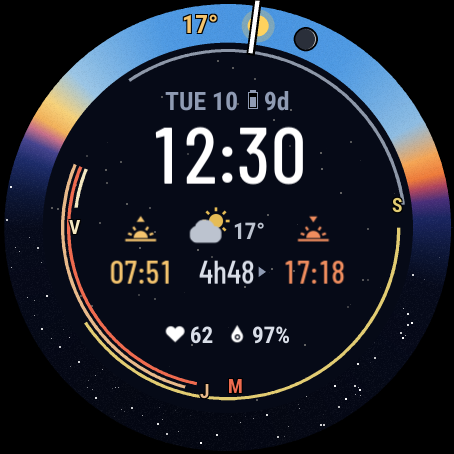
A band round the dial painted with the day's sky: night, dawn, daylight, dusk. The sun, the moon and the planets ride along it while they are above your horizon.
What it does
- The colours of the sky
- The band turns from night to twilight to day at the minutes the sun crosses each line, wherever you are.
- Sun, moon and planets
- Arcs mark when the moon and each planet are up, and where the sun is now.
- The weather ahead
- Clouds grey the band over the next hours; rain, snow, storms and fog are marked where they come.
- Sunrise, sunset, day length
- And how much longer or shorter today is than yesterday.
- A map of the sky
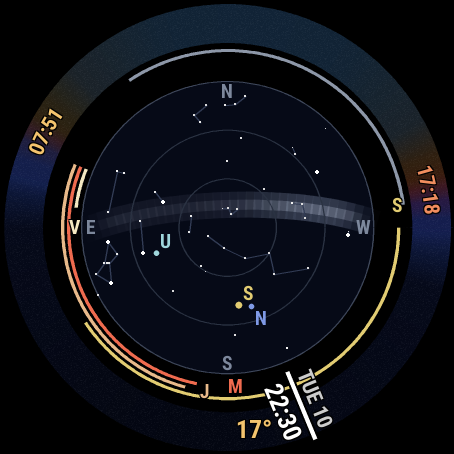
- Stars, constellations and the Milky Way as they stand above you.
By day, and at night
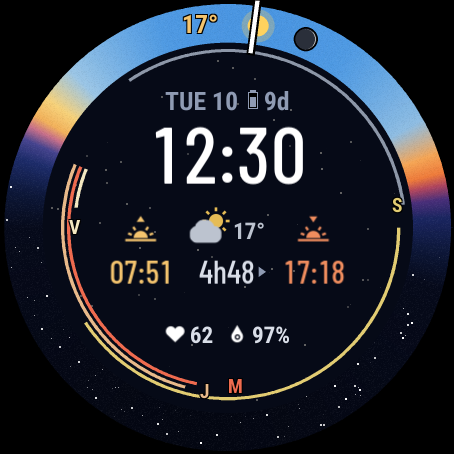
The same face at 12:30 and at 22:30 on one November day in Paris, as our server draws it from the face’s own code.
On your watch
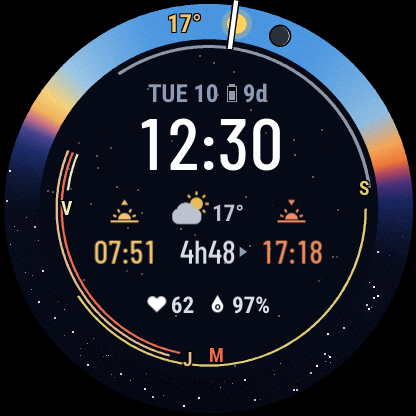
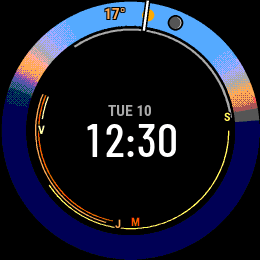
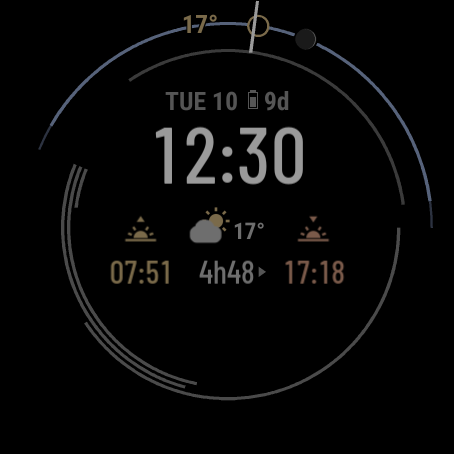
Pictures from the face itself, on the screens it is built for: round AMOLED and MIP screens from 218 to 454 pixels.
What it can show
Time and date
Local timeDate
Sun and moon
Sunrise / sunset (both, or the next one)Day length (and its change since yesterday)Moon phase
Weather (Garmin's)
Conditions + temperatureHigh / lowCloud coverWind (speed, direction)Hourly forecast (next 24 h)
Activity
Steps (+ goal, 7 days)
Health
Heart rate (+ 4 h trace)Body BatteryPulse Ox
Sensors and place
Altitude
Space
ISS on the mapPlanets, stars, Milky WayIridium
Watch and phone
Battery %Battery days left
On different watches
The same face, drawn for each screen: what changes between AMOLED and MIP screens, wrist down, and on older or smaller watches.
| AMOLED screens | MIP screens | |
|---|---|---|
| The sky by day | The band in smooth gradients (a fine grain keeps them from banding), a soft glow round the noon sun, the sky greying where clouds are forecast. | The band in the 64 colours, blended with a fine dither; the weather symbols, without the cloud greying. |
| The sky at night | Stars in the band and in the centre, and on the sky map the Milky Way and its star dust. | The night in dark blue; the sky map with its brighter stars, without the Milky Way; no stars in the band or the centre. |
| Wrist down | Everything stays in place, dimmed: the band as thin arcs, the text in grey; no stars, Milky Way or weather symbols. | The full colour face, updated once a minute. |
- Which watches
- Watches with Connect IQ 5.0 or later (59 models). The fine grain on the band needs a screen that blends: not on the vívoactive 5, Forerunner 165 and 70, Approach S50, Descent G2 or Instinct 3 AMOLED.
- Small screens
- The centre makes room as the screen gets smaller: first the change in day length, then the last fields; the smallest screens keep one field.
- Heart rate and Pulse Ox
- Left blank while your wrist is down, their place kept.
- Where you are
- SkyFace takes your position from Garmin weather: until the weather has reached the watch, it shows "WAITING FOR LOCATION".
Set it up
- Install itFrom the Connect IQ app on your phone, once it is in the store.
- Find your codeIn Garmin Connect, open the face’s settings: the code is under “Your code”.
- Enter it hereOn the settings page: no account and no password. Set your time zones, your home city, your stocks.