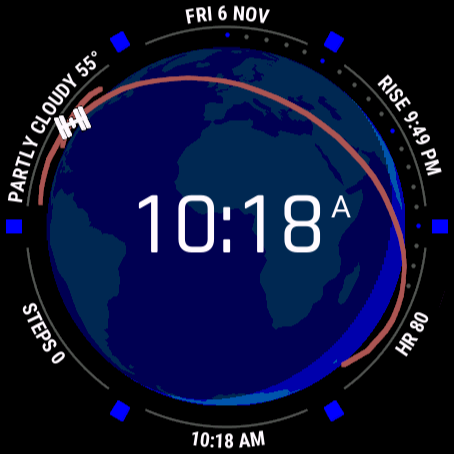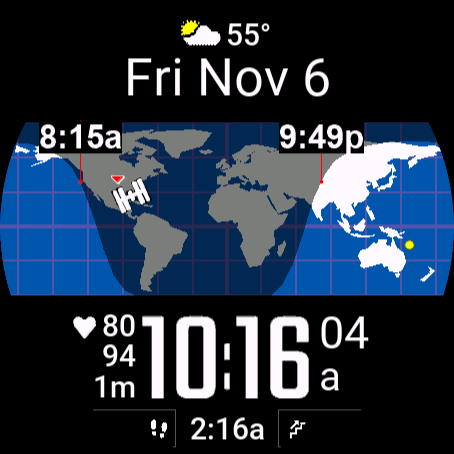
Real-time simulated view, on demo data
On the Connect IQ Store since 2018 · 100,000+ downloads
WorldFace
The whole world, live, on your wrist.
A map of the Earth with the night sweeping across it, the sun overhead and you on it. Around the map, thirteen fields you write in plain words.
What it does
- Day and night, as it happens
- The night side moves across the map as the Earth turns, and your sunrise and sunset sit on your own meridian.
- The space station
- The ISS where it is right now, with the orbit it is about to fly: you can see when it passes over you.
- Fields in your own words
- Type temp, steps% or price1 and the field shows it: weather, health, stocks, a second time zone, more than fifty values.
- Your colours
- Nine colours from the oceans to the grid, and a night side tuned separately for AMOLED and MIP screens.
- Set up on the web
- Fields, presets and colours on this site, with the face redrawing as you change them.
On your watch
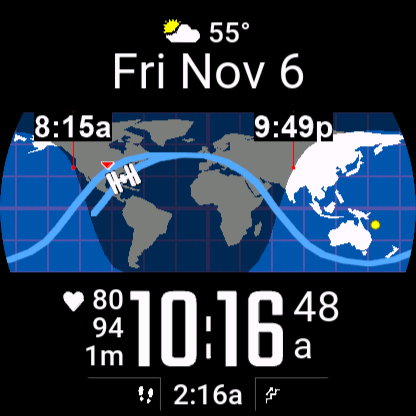
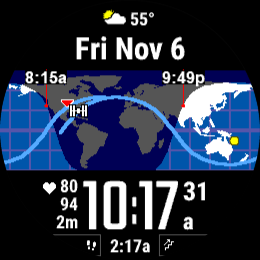
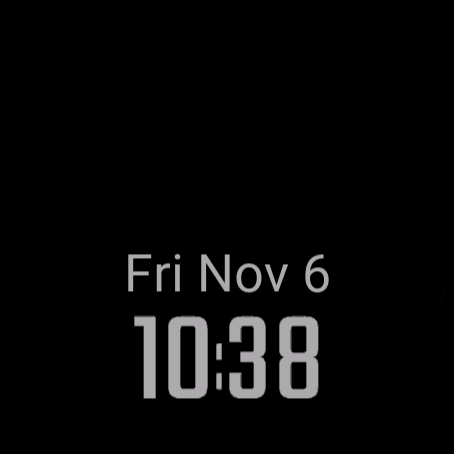
Pictures from the face itself, on the screens it is built for: round AMOLED and MIP screens from 218 to 454 pixels.
What it can show
Time and date
Local timeSecondsDate
Time zones
World time zones (the list, up to 4)
Sun and moon
Sunrise / sunset (both, or the next one)Moon phase
Weather (Garmin's)
Conditions + temperatureWind (speed, direction)Weather locationWeather age
Activity
Steps (+ goal, 7 days)Floors climbed (+ goal)Intensity minutes (+ weekly goal)Calories (+ goal)Distance todayMove bar
Health
Heart rate (+ 4 h trace)Body BatteryStress
Sensors and place
AltitudeSea-level pressureWatch temperatureEarth map / globe (day and night, you, home)
Space
ISS on the mapISS distanceLightime (planets)
Watch and phone
Battery %Phone connectedDo Not DisturbApp version
Web data and text
Stocks
On different watches
The same face, drawn for each screen: what changes between AMOLED and MIP screens, wrist down, and on older or smaller watches.
| AMOLED screens | MIP screens | |
|---|---|---|
| Colours | Full colour. | The 64 colours of the screen: the map, the fields and the night keep their look, with fewer shades. |
| The night side | A see-through shade over land and sea. How dark it is, awake and wrist down, is yours to set on the settings page. | A see-through shade too, or, if you prefer, the night drawn in two colours of its own (night land, night sea). |
| Wrist down | Set to Auto, the face goes minimal: the time dimmed, the date above it, a few status icons. Choose Full in Garmin Connect to keep the whole face. | Set to Auto, the whole face stays on. Choose Minimal in Garmin Connect for a quieter screen. |
- Seconds and heart rate
- Shown while the watch is awake, for the few seconds after you raise your wrist; wrist down, the heart rate shows "--".
- Older watches
- WorldFace is the one of the three that also runs on the fēnix 6 family, MARQ (first generation), Enduro, Descent Mk2 and Forerunner 945 LTE. There the night side is always drawn in its own colours.
- The smallest-memory watches
- On the fēnix 6S / 6S Pro, the first MARQ models, the Descent Mk2S and the Forerunner 945 LTE: no stocks, no light-time field, no moon in the fields and no pictograms on the bottom bars. The ISS stays.
- Where you are
- Your position comes from Garmin weather (your phone's location), or from the coordinates you set.
Set it up
- Install itFrom the Connect IQ app on your phone, once it is in the store.
- Find your codeIn Garmin Connect, open the face’s settings: the code is under “Your code”.
- Enter it hereOn the settings page: no account and no password. Set your time zones, your home city, your stocks, your fields.